"Wordpress" Archives

A Blog is More than a Leaf in a Lifestream

Posted on 06 July 2009 (2)
Steve Rubel about marketing and business model...
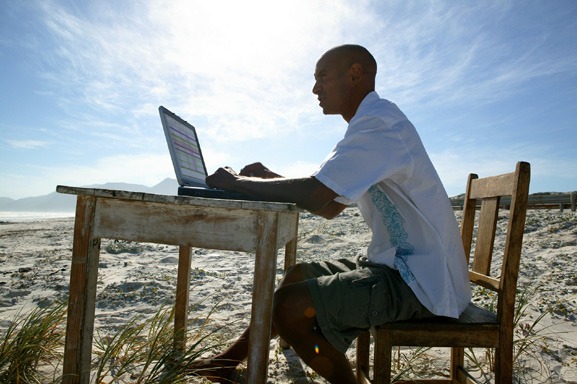
Image by pellesten via Flickr

Last week, Steve Rubel of the Micro Persuasion blog announced that he was ditching his blog and moving over to a lifestream powered by Posterous. An inspired move or an act of lunacy? Opinion is divided on that one.

What I would like to know is – what’s the difference between a blog and a lifestream? I don’t really see much of a difference and here’s why.

For starters, both a blog and a lifestream pretty much serve the same function – to inform your readers of weblinks, post YouTube videos and give your opinions on any given subject. Whether those posts originate from Wordpress or from another platform such as Posterous doesn’t make much difference. Whether you do it from a blogging platform such as Blogger or emailing from your Gmail account, you are still publishing posts. So a lifestream is still a blog in this respect.

Second, if you are publishing posts via a blogging platform, they can still be automatically sent to a lifestreaming site such as Friendfeed if you want to indulge in lifestreaming too. Yes you can do both! If you want that lifestream back on your blog, Friendfeed provides the widgets for it. But publishing a lifestream and then sending it to another lifestreaming site such as Friendfeed is rather counter-productive don’t you think? Lifestreaming the lifestream?

What bloggers should be doing these days is trying to stand out from the crowd by building their own site brand and promoting the hell out of it. Lifestreaming is rather anonymous in certain respects in that you are not “pushing” a brand name along with those posts. A lot of people who read blogs regularly heard of “Micro Persuasion” and they all linked to it pushing the MP entries to the top of the search results. How many people are going to remember the term “Steve Rubel Lifestream”? Not as many who knew Micro Persuasion because first of all it is not a very catchy title is it? Second, how fast will lifestreaming results get to the top of Google? I bet not as fast as a Wordpress blog entry.

Which leads to a reason why Steve was so crazy to stop blogging – he is throwing away a well established blog with a well established name. All those years of work down the drain, all those carefully cultivated links now going to waste. He is starting completely from scratch and all for what? To stay on top of the latest trend to hit the internet? Wouldn’t it be better instead to work on a profitable well-linked blog that everyone knows and respects?

Steve and other lifestreamers claim “the blog is dead. Long live lifestreaming!” Where is the evidence for the demise of blogs? Last time I checked, the big blogs were alive and kicking. Other blogs are still doing fantastically well provided the owner(s) put the required amount of effort into them. Posterous has hardly been here for very long and already Steve wants to throw away a popular site and entrust his content to the new kid on the block, one who can’t prove that they will be around this time next year. I hope Posterous has an excellent backup and exporting option.

Lifestreaming is just the latest trend to hit the internet and in some respects it can get a little boring and tedious. Who wants to know every single thought that goes through a person’s mind? Long thoughtful helpful posts are much better any day of the week and they can generate the most linkbacks and comments. A 140 character Twitter entry on how you’re feeling that day or a hastily slapped together few lines won’t.

When lifestreaming stops being the latest trend and the music suddenly stops, where will that leave the lifestreamers like Steve? What if Posterous suddenly goes bankrupt and belly up? That’s right – back at the beginning again, looking to find the next trend train to jump onto. Is it just me or is that just downright tiring, constantly starting and restarting your web presence as one company goes bust and another wannabe pretender comes along to take their place? Meanwhile the blogs that didn’t jump on the lifestreaming bandwagon are breezing along nicely with nice healthy pagerank and good name recognition.

I think I’ll just stick with the blog, thanks very much.

Reblog this post [with Zemanta]

Considering Premium Wordpress Theme Design

Posted on 01 April 2009 (3)

(An article contribution by Chris Reynolds: an entrepreneur, fellow designer and developer at Web Hosting Search)

Ever heard of Wordpress.org? If you haven’t, I’ll be surprised. Wordpress’ blogging software has been downloaded over 6,000,000 times since the launch of version 1.5 in 2005, the first version in which Wordpress introduced the use of Themes. Fast-forward to 2009 and developing these themes has become the livelihood of many professional web designers. In other words, if you’re like most web designers and feeling the effects of the financial crisis, perhaps you should consider designing you very own Wordpress Premium Theme.

Around 90,000 Google searches are made every month for the term “Wordpress themes.” This has been a trend for the last three years and the hype over Wordpress doesn’t seem to be dwindling. However, something that has happened is the commercialization of the theme market. There are over 20 well-established designers working full-time to create and sell what are referred to as Premium Themes.

Designing and Selling Premium Themes

Though the commercial concept of premium themes opposes the Wordpress open source freeware philosophy, it has opened up a vast new market for web designers. Some of you may already have created a Wordpress theme without charging anyone for it. Ever since Wordpress went mainstream, web designers have frequently contributed with free themes, mostly to promote their skills and expand their portfolios. Designing premium themes, however, isn’t a huge step in the other direction.  You simply charge for your services, make the user interface more simple than the free themes available, and provide support/updates. People interested in purchasing premium themes aren’t usually interested in tinkering or learning to hack the layout. If I, as a blogger, purchase a premium theme, chances are I probably couldn’t design one myself.

Additional features that define premium themes are quality of design (aesthetics) and flexibility.  Professional web designers can charge their customers for a theme license only because they are providing a professional and high quality product. There will always be free Wordpress themes for you to choose from, but updates, tweak tips, and a community forum are all what you’ll receive when purchasing a premium theme from any of the web’s top providers. Here’s why you should consider developing your own theme:

  • The Wordpress blogging platform is used by tens of millions of web denizens each day.
  • It is an inspirational haven for any web designer to work with.
  • The demand for unique and professional Wordpress themes today is higher than it has ever been. Just take a look at what they are doing over at Woo Themes and you’ll understand.
  • Wordpress has become a trusted free CMS, thus more frequently used in serious website-projects where web design is gladly paid for (even the NYTimes utilizes Wordpress).

Creating a Premium Theme – CSS, templates and functions

Now that we have discussed some of the business advantages of designing Wordpress themes, let’s take a look at a few technical pros. Creating a Wordpress theme requires the standard CSS development and graphic design skills, but it also includes some PHP and XHTML/HTML programming. Not to worry, the Wordpress CMS uses a framework of three theme files. First there’s the standard CSS-stylesheet, style.css, that controls the look of the website. Then there are functions files, functions.php and template files.

wp-themeIf user interface is your thing and you’re not interested in becoming a developer – that’s fine – just connect with a PHP / Wordpress developer. You will be able to provide him designs that can be sliced up and made into Wordpress themes.
Finding a web developer with working knowledge of Wordpress programming won’t be hard anyway. You can even download an existing theme, install it and configure the stylesheet, functions files and template files directly from the WP-admin dashboard. One important step here is to make sure to change theme information in the stylesheet-file.

Below is an example of the first few lines of the stylesheet, including unique information for one particular theme. Wordpress does not tolerate or allow direct copying when creating your own theme.

/*
Theme Name: Rose
Theme URI: the-theme’s-homepage
Description: a-brief-description
Author: your-name
Author URI: your-URI
Template: use-this-to-define-a-parent-theme–optional
Version: a-number–optional
.
General comments/License Statement if any.
.
*/

For this trial and error approach, however, you’ll need a place to experiment online. Check out Wordpress hosting in order to set up a suitable hosting account.

For more technical information on creating your own Wordpress theme please take a look at Wordpress.org’s own Theme Development.

How to Keep up Your Blogging Momentum

Posted on 03 February 2009 (8)


[image credit]

A few days ago, you might have seen my claim that I would begin blogging daily.

I’ve been thinking that while this site is a great resource, many might miss it due to infrequent or unexpected updates.

Regardless of our past update frequency, blogging daily sounds like a tall order.  Here are some steps I plan to employ in order to keep daily weekday blogging (and quality) up to par:

1 – More regular writers. Having guest posters is fun and gives people some fresh ideas, though having regular contributors takes on a whole other voice to your blog.  Select these people wisely, as they should balance your normal tone.

2 – Nightblogging. I’ve just found it most effective to blog in the middle of the night.

3 – Assembly line method. One thing that has been particularly effective for me is what I’ll refer to here as assembly line blogging.  Literally, if you look at your blog post as pieces on an assembly line, they become easier, especially when you’re looking to keep up a frequent pace.

So let’s say I come up with a great idea to blog, but don’t have the time.  I quickly jot down the idea in notepad, or put in a draft in Wordpress, usually with a catchy title.  When time will allow, I will continue to develop the idea.  Unless it’s a pure research post, the last steps I will do will be adding links, images and video.  Give it a final edit, and the post is on its way.

4 – Delayed Publishing. Thanks to the beauty of Wordpress, we’re able to schedule posts to publish in the future.  While I might have some great ideas at 3am, it might not get the best exposure should I choose to publish at that time.  So I could publish at 6am and have the blog do the publishing work by itself – just in time for my morning coffee.  Does it really take that much time and work to publish a blog post? Of course not – it’s just nice to know that your post is on its way in a scheduled fashion.

5 -  Keeping Fresh. Nothing keeps you on your game like blogging on a daily basis.  Once you fall off your schedule, you may find yourself in a pattern of “paralysis through analysis.” I’ve fallen into this trap too before.  You haven’t blogged for what you think is far too long, so you over think and over analyze the “perfect post.” You sit on it for days, maybe even weeks.  Last I checked, nobody has won the Nobel Peace Prize for writing a blog post, so break your behavior here and publish already.  It’s a self-defeating behavior that doesn’t help you, and your audience would appreciate the updates.

6 – There are some things Twitter wasn’t made for. Yes, you heard me.  Twitter can’t make your coffee (though you can order coffee from it), and it can’t blog.  Not beyond 140 characters.  So this can lead to a lot of noise.  Also, you don’t “own” your Twitter blog and links are nofollow, so the more you Tweet, the more you’re actually working for Twitter.  Reclaim some of your blog power – your readers will thank you for the focus.

7 – Keep one step ahead of yourself. Try to keep at least one full post ahead of your writing.  If you can’t do that, at least have a few half written ones, ya slacker ;)

I’m not asking you to blog daily…though I’m curious: what do you do to keep up your pace?

Don’t Let Technorati Drop Your Blog

Posted on 08 April 2008 (25)

Technorati means business with Wordpress Blogs, and rightfully so. With all the potential vulnerabilities of older, unpatched versions of Wordpress out there, many blogs have become fair game to spammers worldwide.

If you have not upgraded Wordpress since 2.3.2, and have a claimed blog on Technorati, you probably received an email from Technorati architect Ian Kallen, who writes:

Ian Kallen

“…Blogs that have been compromised by this security vulnerability are typified by having links to spam destinations inserted onto the blog page. These link insertions may be invisible to casual observations; the links are often obscured by style attributes that render them invisible. These links are still seen by crawlers such as Technorati’s, Google’s and Yahoo’s. You can find these links by viewing the source of the blog pages or, when using Firefox, looking under “Tools” -> “Page Info” -> “Links”. Blogs hosted on wordpress.com are not affected by this issue; only blogs hosted on their own installations of WordPress from wordpress.org require concern…”

The NowSourcing blog was a couple versions back and noticed a couple spam links creeping up here, so we bit the bullet and upgraded to Wordpress 2.5. For those of you that have not done so yet, be sure to at least be on 2.3.3.

The Wordpress Automatic Upgrade plugin was surprisingly bump-free (be sure to check all the backup files, we noticed that the wp-content folder didn’t backup automatically).

Technorati has often been criticized of not being on top of things, but this time around I must say good job, Ian and crew! Granted that many will be running around like chickens with their heads cut off

Before you say “hey, you write about social media. Where’s the social media?” I was just getting to that :) Technorati authority and blog search coupled with Wordpress blogging is at the heart of social media. If you woke up tomorrow and your or your client’s blog was dropped by Technorati, there could be some serious ramifications. Conversation is quickly becoming the new form of metrics in social media (sorry pageviews), and without a guide like Technorati, we’d be up a creek without a paddle.

But what if Technorati removed thousands of authority blogs en masse? Best upgrade soon, all! :)

Think Twitter Sucks? You’re Wrong, Here’s Why.

Posted on 11 March 2008 (25)

This post isn’t going to be inflammatory, walking you through the ABC’s of why Twitter is good and why you should use it (although you should).

Rather, the post is here to make you think about Twitter in a way that you might not have before – to use as a scouting and hiring tool. What better a way to find the latest new influencers in social media?

And now without further ado…I give you – Patricia Mayo.


I’ve probably just become the envy and bane of every desk-chained slave of the corporate world… (please don’t hate me!)also trisha

Hi! I’m Patricia Mayo, and I get paid to do the stuff most get fired for doing. Officially, my title is “Social Media Strategist.” But really I just stick my head in the clouds, pull out great ideas, and play with those sites you probably need a proxy to visit at work.

My apologies in advance if I end up getting you fired… *sheepish grin*

How did I get such a great gig? Well – chances are you have already seen my work.

Blazing a Trail in New Media

I have ghostwritten countless search engine optimized articles, copy for websites, ebooks, and ever so infamous five page sales letters. As “Miche” I problogged at Audeamus for Creative Weblogging, which snagged a front page on The Issue and was named a top Social Entrepreneurship blog a few times.

I have also edited Master New Media’s articles, videos, and newsradar. ProBlogger recently featured my guest post “Tired of (Promoting) Your Blog? Flip It” as one of 13 submissions picked out of over 100 submitted in response to his open opportunity for guesting.

Nowadays I’m just a few inches away from launching ComHacker, a blog to help you get what you want out of what you do online, and co-host the Wordpress Weekly podcast. Of course, that isn’t the end-all be-all to my story. For more, you can read Dan Pennington’s interview of me on Associated Content.

Yep, I’m pretty much everywhere all at once. The sad part is, that’s not even a quarter of the stuff with my name on it ;) But honestly, I owe the majority of my recent success to Twitter.

I <3 Twitter

Trisha
Follow me on Twitter

Why do I love Twitter? Let me count the ways…

Thanks to Darren Rowse of ProBlogger tweeting about the open guesting opportunity as it was posted, my submission was the ninth one completed, and one of the first to get picked. The early bird gets the worm!

Brad Williams – Mr. SnapFoo (yes he’s so awesome he deserves a Mr. before the site name) – tweeted about the Wordpress Weekly podcast. I tuned in, and ended up being grilled in the after show. Apparently they liked what I had to say.

Of course, I’ve gotta send some love to all the tweeple who saw my tweeted works in progress and sent paying freelance work my way. That’s just plain awesome :D And I’ve been able to fulfill those orders because I found a few great developers through my gig post at the Startupers site, prompted by Startupers following me on Twitter.

And interestingly enough, apparently going from 3 followers to over 200 followers in less than a month is notable – because that’s pretty much how I qualified for this gig at NowSourcing.

Best of luck in all your endeavors – and I’m certainly looking forward to helping you be a raving success too!

Reblog this post [with Zemanta]